Edit one lesson or an entire sequence without breaking the plan.
Plans change constantly. Planlark lets you target single lessons by date, class, title, or unit — or update entire sequences at once — without manually cleaning up every connected lesson, outcome link, or date. The planner keeps sequence context, schedule alignment, and unit relationships intact through every edit.
What the AI can do
AI can add, revise, delete, and reschedule single lessons or whole lesson sequences.
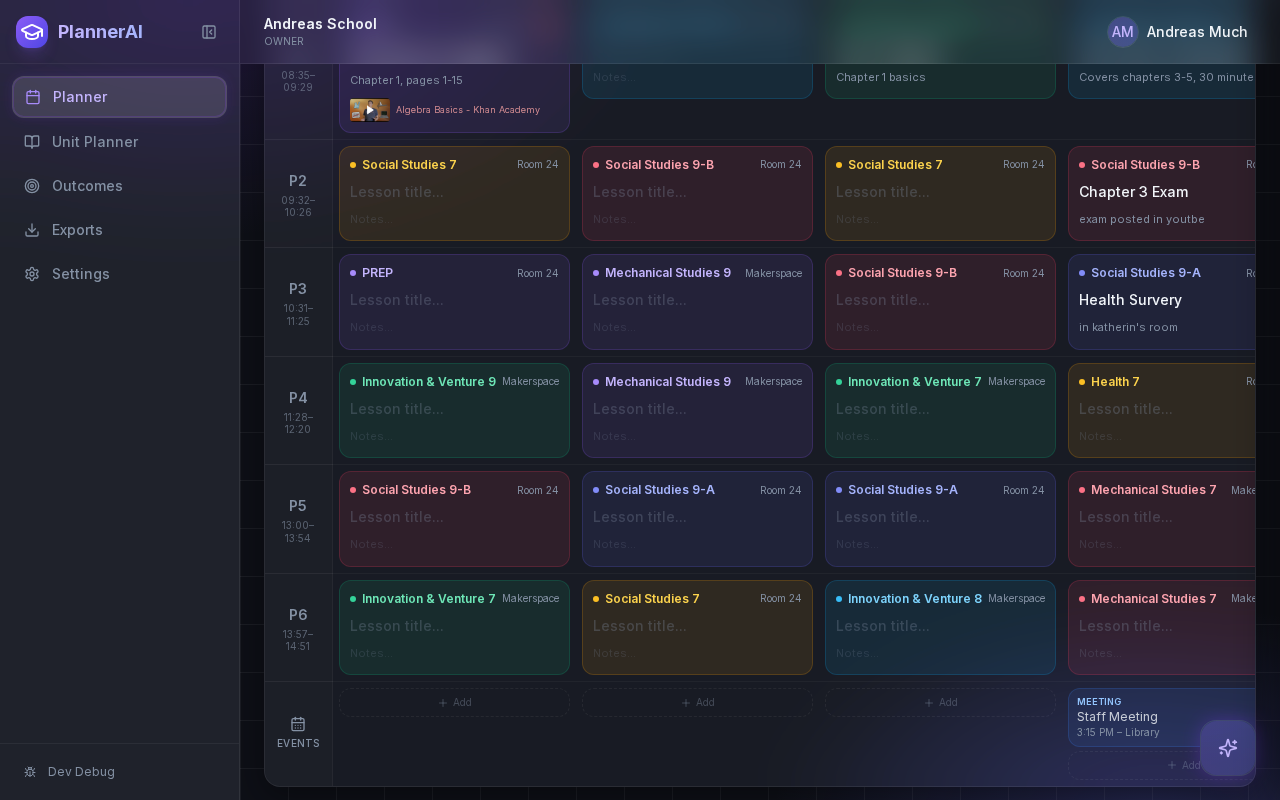
Editing is not just text replacement. The planner keeps sequence context, dates, and outcomes in sync.
Context aware
Connected to the weekly planner, schedule rules, and unit structure.
Teacher controlled
You review and refine changes instead of handing the whole process away.
Built for school reality
Designed around shifting timetables, real curriculum work, and mid-week edits.
Where Lesson & Sequence Editing fits into the planning week.
Target single lessons by date, class, title, or unit even when a teacher does not know the internal record ID.
Update or remove entire sequences without manually cleaning up every connected lesson one by one.
Keep linked outcomes, dates, and surrounding plans coherent when lessons shift or disappear.
Real reasons teachers reach for this feature.
Single-lesson update
Change a single lesson objective and activity without affecting the rest of the sequence or unit.
Sequence deletion
Delete a three-lesson review block and the remaining plan re-aligns automatically.
Bulk reschedule
Move an entire sequence forward by two class days and all dates, outcomes, and connections update together.
What it looks like when a teacher actually uses it.
These example prompts and outcomes show the kind of planning work this feature is designed to handle.
Prompt
"Delete the duplicate review lesson, shorten Lesson 4, and move the quiz prep to next Thursday for Social 10."
Outcome
Planlark finds the right lessons, applies the edits, and preserves the remaining sequence around those changes.
Prompt
"Insert a class discussion between Lesson 2 and Lesson 3 in the Confederation unit."
Outcome
Planlark adds the new lesson, shifts subsequent lessons forward, and updates dates on real class slots.
Prompt
"Replace the essay writing lesson with a peer review workshop."
Outcome
The AI swaps the content, keeps the date and unit link, and adjusts the sequence description.
Keep exploring the planning workflow.
Related help
Learn how to use this in the product.
Unit Planning
How to build units and lesson sequences in Planlark
Use the Unit Planner to create a unit, add source material, generate lesson sequences on real dates, and keep outcomes tied to the plan.
Read help guideAI
How to use Lark inside Planlark
Use Lark by text or voice to create, edit, delete, reschedule, and explain planning work across lessons, units, outcomes, and assessments.
Read help guidePlanner Workflow
How to manage the weekly planner and daily debrief in Planlark
Use the weekly and daily planner views to track real class dates, move lessons safely, spot gaps, and feed debrief notes back into the next plan.
Read help guideRelated features
Keep exploring the workflow.
Scheduling
Auto-Scheduled Plans
Units and lesson sequences can land on real class dates automatically using your rotation, holidays, and calendar overrides.
Read feature pageCalendar
Calendar Command Center
Your planner stays connected to the actual school calendar, not a generic week view.
Read feature pageReflection
Daily Debrief
Quick end-of-day reflection becomes planning memory instead of getting lost in notes.
Read feature pageEarly access
Try Lesson & Sequence Editing inside the full planner
Join the waitlist to see how Planlark connects weekly planning, AI actions, schedule logic, and curriculum tracking.
No credit card required. Early access updates only.