Lesson Planner for Teachers
A lesson planner where you just tell Lark what you need.
Teachers deserve more than a weekly grid and a pile of disconnected documents. Planlark brings lesson planning, unit planning, curriculum tracking, and Lark — an AI assistant who does the planning work for you.
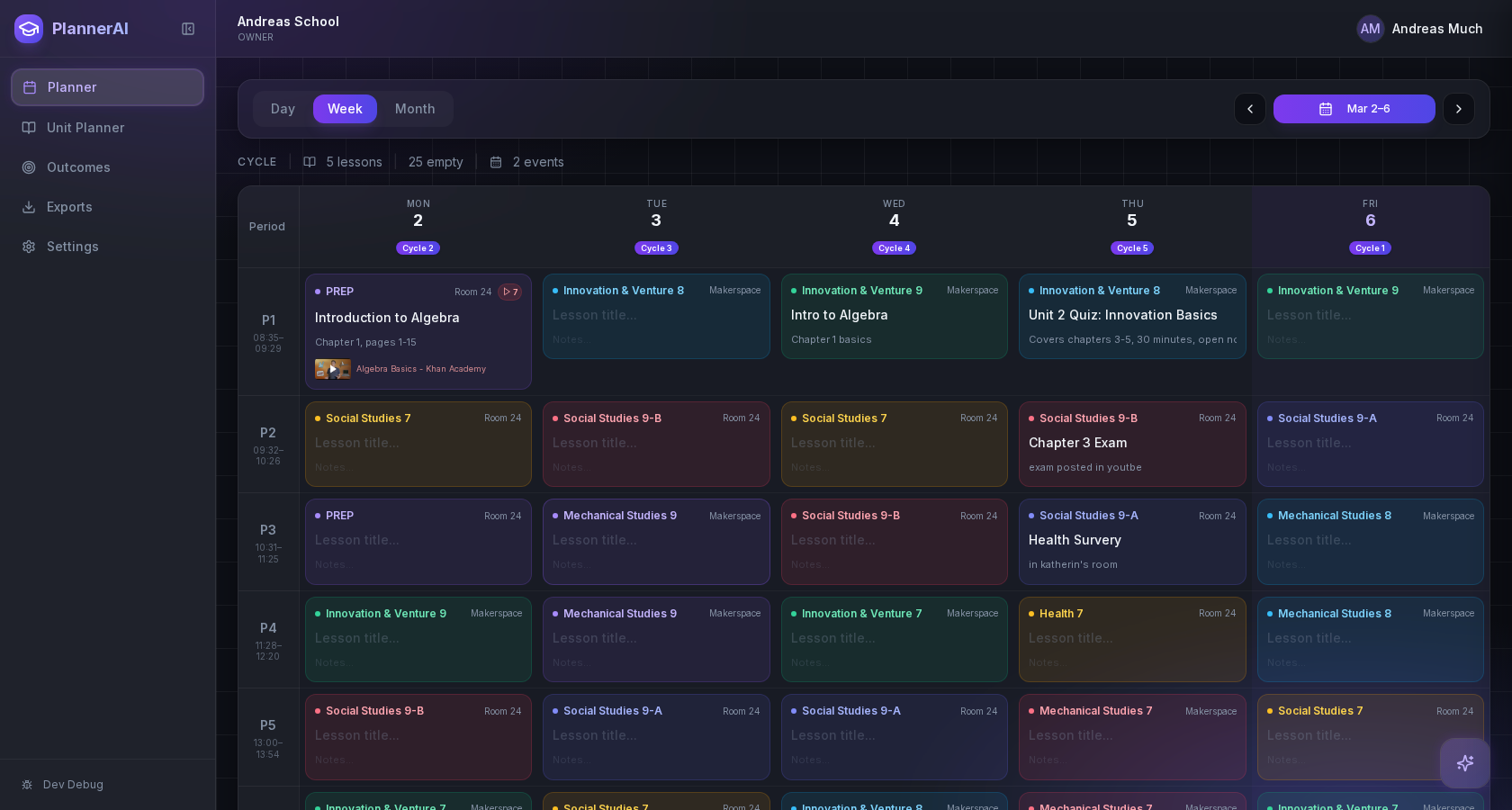
Teachers managing multiple classes across subjects or grades
Schools with rotating or cycle-based schedules
Teachers who want AI grounded in their actual timetable
Teachers who need planning and curriculum tracking in one place
Anyone tired of static planners that feel like digital paper
Teachers who want quick adaptation after class, not more cleanup
Use the curriculum documents and planning notes you already have
A strong lesson planner should not force teachers to start from a blank template. Tell Lark to turn your curriculum guides, textbook notes, and unit outlines into a structured sequence that is ready for editing.
Import curriculum text and tell Lark to convert it into lessons
Keep unit planning and daily planning connected
Move from rough material to a real teaching sequence faster
Plan on the calendar your school actually uses
Schools do not run on a perfect Monday to Friday pattern. Planlark supports rotating schedules, holidays, assemblies, and the timetable details that change where lessons can realistically go.
Supports 2-8 day cycle schedules
Places lessons on valid class dates automatically
Keeps outcomes and sequencing intact when the week shifts
Just tell Lark — he adjusts the plan for you
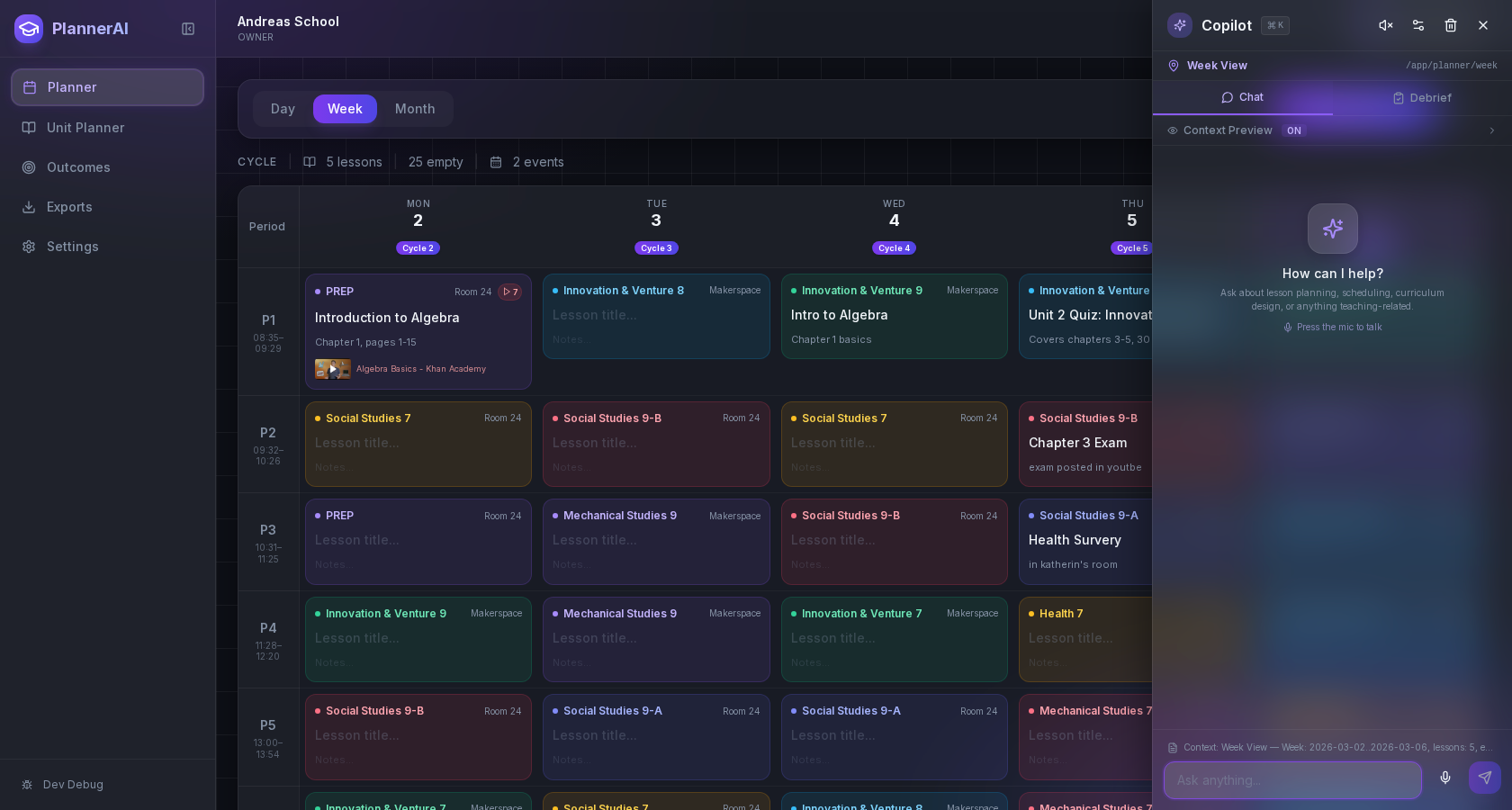
When a lesson overruns or the day changes, just tell Lark what happened. He moves quizzes, shortens lessons, and carries your post-class reflections forward — all without breaking the rest of the week.
Tell Lark to rearrange, rewrite, or build new lessons in plain language
He carries your schedule, outcomes, and class context automatically
Use voice or text — Lark works either way
FAQ
Common questions about lesson planning with Planlark.
What makes Planlark different from other lesson planners?
Planlark is the only lesson planner with a built-in AI assistant (Lark) that understands your actual timetable, rotating schedule, and curriculum outcomes. You tell Lark what you need in plain language and he builds, moves, or adjusts lessons for you.
Does Planlark work with rotating schedules and cycle days?
Yes. Planlark supports 2 to 8-day rotation cycles, holidays, PD days, and schedule overrides. Lessons are always placed on the correct class dates.
Can I import my existing curriculum documents?
Yes. Paste curriculum text, upload PDFs, or connect your Google Drive. Lark can turn source material into a structured unit with sequenced lessons ready for editing.
Is Planlark free for teachers?
Planlark offers a free plan with core planning, weekly scheduling, lesson editing, export, and limited AI interactions. Pro unlocks unlimited AI, voice planning, and the full connected workflow.
Can I plan lessons with my voice?
Yes. Planlark Pro includes voice planning — speak your lesson ideas, class reflections, or planning changes and Lark transcribes and acts on them automatically.
Early access
Want a lesson planner that actually keeps up?
Join the early access program. Tell Lark what you need — he handles the planning.
No credit card required. Early access updates only.