End-of-day reflection that actually shapes the next plan.
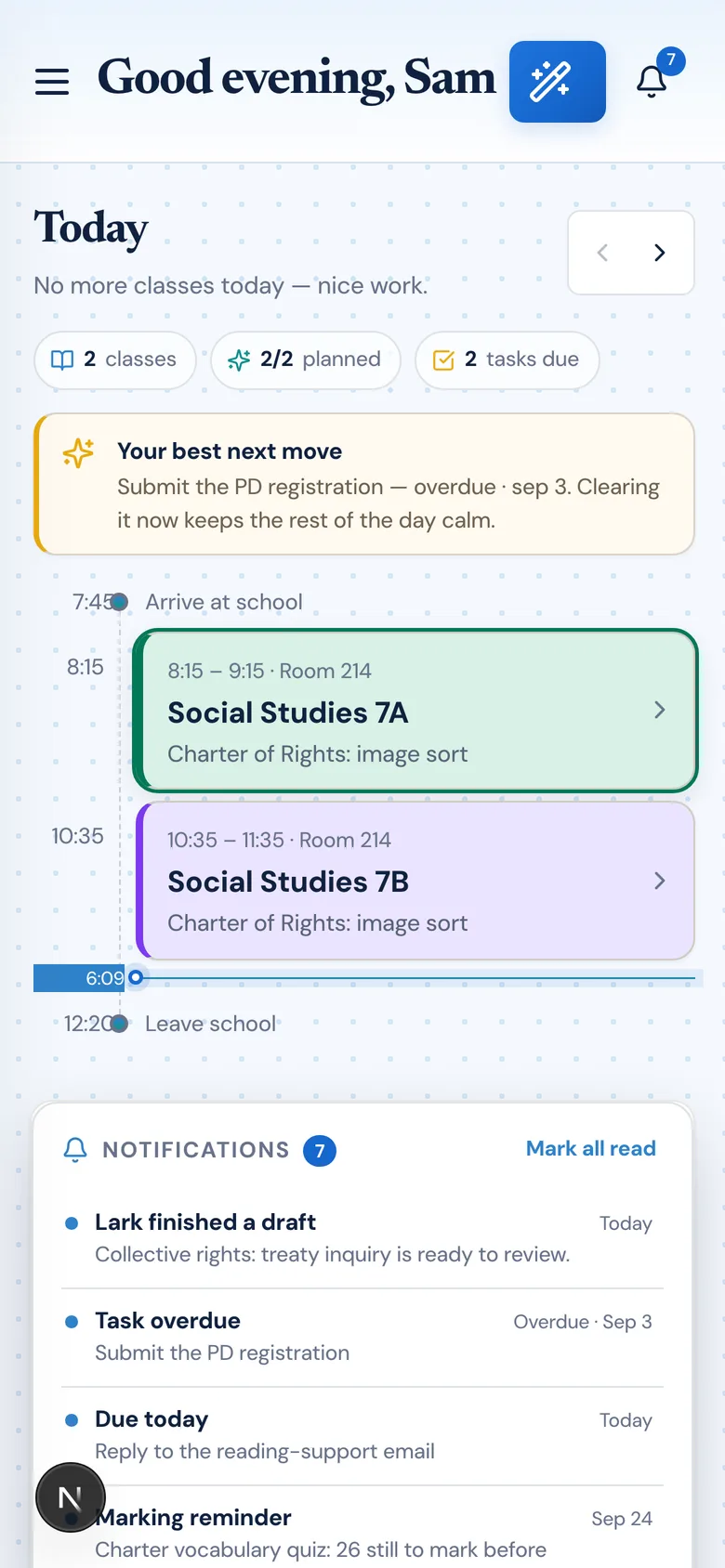
What happened in class today should shape what happens tomorrow. The Planlark Daily Debrief captures what was completed, shortened, extended, or skipped — then turns that reflection into actionable planning memory. The AI uses debriefs to suggest next-day adjustments, upcoming lessons, and planning changes so continuity builds across the week instead of resetting every morning.
What the AI can do
AI can turn debriefs into next-day adjustments, upcoming lessons, and planning suggestions.

Daily reflection feeds the next day plan instead of sitting in a separate notebook.
Context aware
Connected to the weekly planner, schedule rules, and unit structure.
Teacher controlled
You review and refine changes instead of handing the whole process away.
Built for school reality
Designed around shifting timetables, real curriculum work, and mid-week edits.
Where Daily Debrief fits into the planning week.
Capture what actually happened in class so future planning reflects reality instead of the original plan alone.
Track what was completed, shortened, extended, or skipped and use that information to improve the next lesson.
Build continuity across the week by turning reflection into actionable planning memory.
Real reasons teachers reach for this feature.
Quick end-of-day log
Spend 60 seconds noting what happened. The AI uses it to adjust the next opener and suggest follow-ups.
Pacing adjustment
Log that a lab ran long and Planlark automatically pushes the reflection to the next class and adjusts the schedule.
Week-over-week memory
Debriefs accumulate so the AI can reference prior notes when suggesting upcoming plans.
What it looks like when a teacher actually uses it.
These example prompts and outcomes show the kind of planning work this feature is designed to handle.
Prompt
"The lab ran long today. Push the reflection to next class and adjust the next opener to review the unfinished safety step."
Outcome
Planlark records the debrief, updates the next lesson direction, and keeps the rest of the sequence aligned.
Prompt
"Students struggled with the graphing exercise. Add a short reteach to the Thursday lesson."
Outcome
Planlark adds a reteach segment to Thursday, links it to the debrief, and adjusts the lesson timing.
Prompt
"Great discussion today. Note this as a strong format to reuse for the next controversial topic."
Outcome
The AI stores the debrief note and references it the next time a discussion-heavy lesson is created.
Keep exploring the planning workflow.
Related help
Learn how to use this in the product.
Planner Workflow
How to manage the weekly planner and daily debrief in Planlark
Use the weekly and daily planner views to track real class dates, move lessons safely, spot gaps, and feed debrief notes back into the next plan.
Read help guideGetting Started
How to get started with Planlark
Set up your schedule, classes, and first planning workflow so the weekly planner, units, and AI actions all use the right school context.
Read help guideAI
How to use Lark inside Planlark
Use Lark by text or voice to create, edit, delete, reschedule, and explain planning work across lessons, units, outcomes, and assessments.
Read help guideRelated features
Keep exploring the workflow.
Scheduling
Auto-Scheduled Plans
Units and lesson sequences can land on real class dates automatically using your rotation, holidays, and calendar overrides.
Read feature pageCalendar
Calendar Command Center
Your planner stays connected to the actual school calendar, not a generic week view.
Read feature pageAI
Lark AI
Lark works across your planner, units, outcomes, and calendar with real context — not a blank chat box.
Read feature pageEarly access
Try Daily Debrief inside the full planner
Join the waitlist to see how Planlark connects weekly planning, AI actions, schedule logic, and curriculum tracking.
No credit card required. Early access updates only.