Talk to your planner. It does the planning.
Planning happens between classes, not at a desk. Ask PlanLark what you are teaching tomorrow, create a lesson for your next German class, move it to Friday, rename it, copy it to next week — out loud, hands free. It answers from your actual timetable, including rotation days, and every change can be undone by saying so.
What the AI can do
AI can answer questions about your schedule and carry out lesson changes you describe out loud.
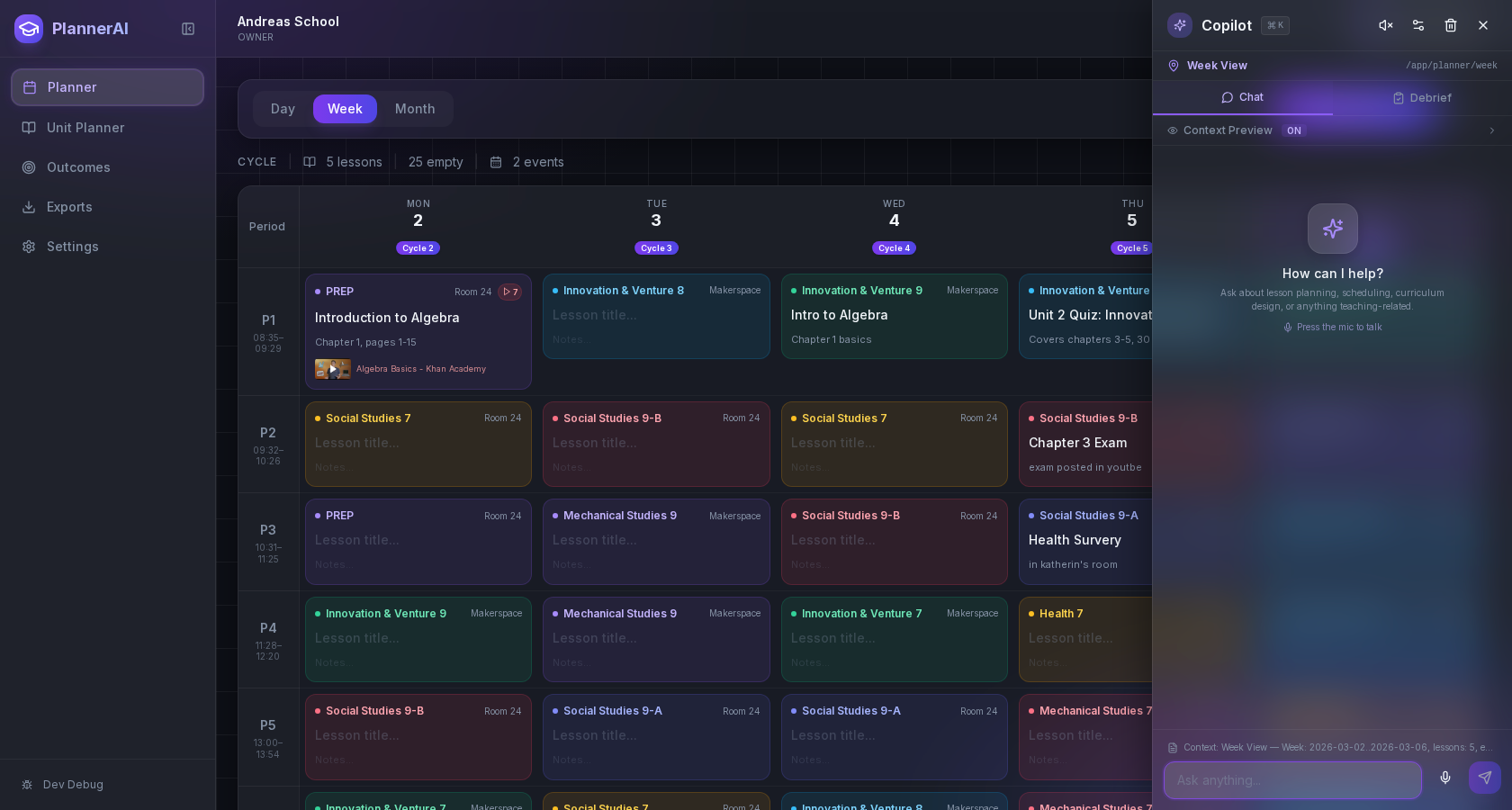
Ideas can move from spoken thought to scheduled lesson without a separate note-taking step.
Context aware
Connected to the weekly planner, schedule rules, and unit structure.
Teacher controlled
You review and refine changes instead of handing the whole process away.
Built for school reality
Designed around shifting timetables, real curriculum work, and mid-week edits.
Where Voice Planning fits into the planning week.
Ask about your schedule and hear the answer: what is on today, what is next, when you next teach a class, what is in a given period.
Create, rename, move and copy lessons by voice, placed on real class meetings rather than an assumed weekday pattern.
Say “move it to my next German class” and PlanLark resolves the next actual occurrence from your rotation.
Undo and redo out loud, several steps back, reversing the real planner change rather than just the conversation.
Add a test to a class meeting or an assignment with a due date by saying so, and move either afterwards with “make it Monday”.
Deleting asks first. “Delete that test” is held until you say yes; nothing is removed on the strength of one sentence, spoken to the planner or proposed by Lark.
When the planner has to ask — which class, which day — you answer out loud.
Anything the built-in commands do not cover is handed to Lark with the class and lesson you are working on already in hand.
Real reasons teachers reach for this feature.
Between classes
Ask “what am I teaching tomorrow?” on the way down the hall and hear the answer instead of opening the planner.
Hands-free rescheduling
Say “move this lesson to my next Social Studies class” and it lands on the next real meeting of that class. The lesson keeps its homework and attachments.
Changed your mind
Say “undo”. If the lesson has been edited since, PlanLark tells you rather than overwriting the newer work.
What it looks like when a teacher actually uses it.
These example prompts and outcomes show the kind of planning work this feature is designed to handle.
Prompt
"Plan Grade 9 Social for Friday. Call it Confederation Review. Actually, move it to my next Social class."
Outcome
A lesson appears on Friday’s real Grade 9 Social meeting, takes the name you said, and then moves to the next occurrence on your rotation — the same lesson, not a copy.
Prompt
"What is my next class?"
Outcome
Answered out loud from your timetable, with the day, period and room.
Prompt
"Copy this lesson to next week."
Outcome
A new lesson is created on the next occurrence. The original stays where it is.
Prompt
"Add a German test next Friday." … "Grade 8." … "Delete that test." … "Yes."
Outcome
The planner asks which German class, puts the test on Grade 8’s real Friday meeting, and later removes it only after you confirm — with “undo” ready to put it back.
Keep exploring the planning workflow.
Related help
Learn how to use this in the product.
Getting Started
How to set up your teacher planner
Enter your classes and timetable once, and PlanLark plans every lesson on the dates those classes actually meet.
Read help guideCurriculum
How to connect curriculum outcomes to lessons
Choose the curriculum objectives each class covers this year, attach them to the lessons that teach them, and let coverage build itself.
Read help guideUnit Planning
How to create a unit plan
Build a unit with its guiding questions and objectives, then hold the lessons that teach it in the order you will teach them.
Read help guideRelated features
Keep exploring the workflow.
Create
Activity Builder
Build activity sheets and practice tests from what students should learn, edit every question, and print Student and Teacher versions as real Letter or A4 pages.
Read feature pageScheduling
Auto-Scheduled Plans
Units and lesson sequences can land on real class dates automatically using your rotation, holidays, and calendar overrides.
Read feature pageCalendar
Calendar Command Center
Your planner stays connected to the actual school calendar, not a generic week view.
Read feature pageEarly access
Try Voice Planning inside the full planner
Join the waitlist to see how Planlark connects weekly planning, AI actions, schedule logic, and curriculum tracking.
No credit card required. Early access updates only.