Your planner and your school calendar are the same thing.
Most planners show a blank Monday-to-Friday grid. The Planlark calendar knows your rotation, holidays, PD days, assemblies, and prep blocks. The AI can search events, move them, clear date ranges, and find free time — all from the same assistant that handles lessons and units. The weekly planner, unit planner, and AI stay synchronized to the same calendar state.
What the AI can do
AI can search events, move them, clear date ranges, and find free time for planning.
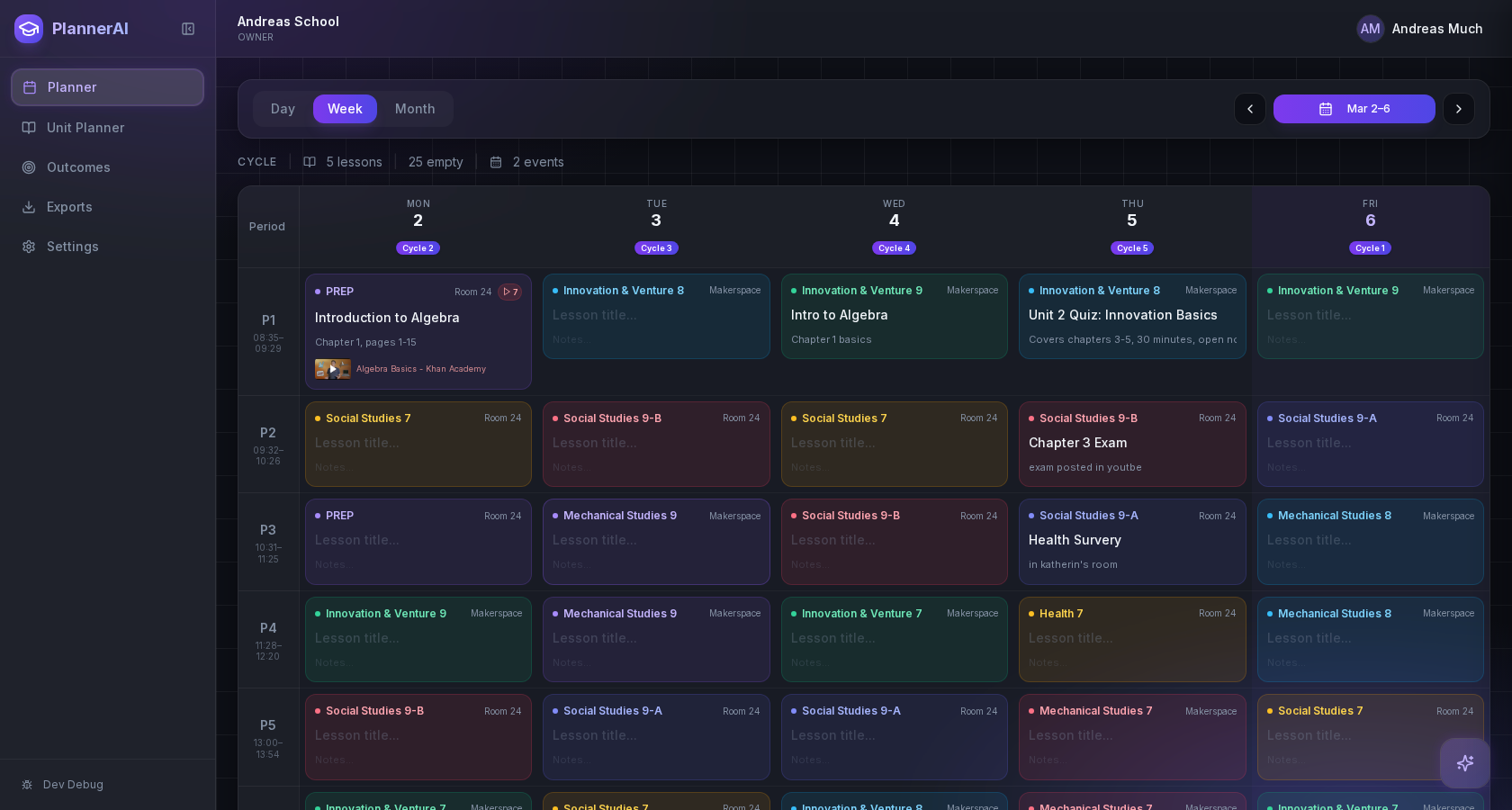
The school calendar is part of planning logic, not an afterthought.
Context aware
Connected to the weekly planner, schedule rules, and unit structure.
Teacher controlled
You review and refine changes instead of handing the whole process away.
Built for school reality
Designed around shifting timetables, real curriculum work, and mid-week edits.
Where Calendar Command Center fits into the planning week.
Search what is scheduled, find openings, move events, and clear date ranges from the same assistant that handles lessons and units.
Support real teacher workflows such as prep planning, assemblies, field trips, and event-related lesson changes.
Keep the weekly planner, unit planner, and AI assistant synchronized to the same calendar state.
Real reasons teachers reach for this feature.
Prep block discovery
Ask "When is my next free prep block?" and the AI scans the calendar and returns exact dates and times.
Event management
Move a parent-teacher event, clear a date range, or add an assembly without leaving the planner.
Conflict detection
Schedule a field trip and Planlark flags affected lessons and suggests rescheduling options.
What it looks like when a teacher actually uses it.
These example prompts and outcomes show the kind of planning work this feature is designed to handle.
Prompt
"Find a 45-minute prep block next week, move the assembly reminder to the new date, and clear the old event range."
Outcome
Planlark finds a valid opening, updates the event timing, and removes the outdated calendar entries.
Prompt
"Show me the calendar for the week before March break."
Outcome
Planlark shows all events, lessons, and PD days for that week across all subjects.
Prompt
"Block off Tuesday afternoon for report card prep."
Outcome
The AI creates a calendar block, clears any conflicting events, and adjusts affected lessons.
Keep exploring the planning workflow.
Related help
Learn how to use this in the product.
Getting Started
How to get started with Planlark
Set up your schedule, classes, and first planning workflow so the weekly planner, units, and AI actions all use the right school context.
Read help guideAI
How to use Lark inside Planlark
Use Lark by text or voice to create, edit, delete, reschedule, and explain planning work across lessons, units, outcomes, and assessments.
Read help guidePlanner Workflow
How to manage the weekly planner and daily debrief in Planlark
Use the weekly and daily planner views to track real class dates, move lessons safely, spot gaps, and feed debrief notes back into the next plan.
Read help guideRelated features
Keep exploring the workflow.
Scheduling
Auto-Scheduled Plans
Units and lesson sequences can land on real class dates automatically using your rotation, holidays, and calendar overrides.
Read feature pageReflection
Daily Debrief
Quick end-of-day reflection becomes planning memory instead of getting lost in notes.
Read feature pageAI
Lark AI
Lark works across your planner, units, outcomes, and calendar with real context — not a blank chat box.
Read feature pageEarly access
Try Calendar Command Center inside the full planner
Join the waitlist to see how Planlark connects weekly planning, AI actions, schedule logic, and curriculum tracking.
No credit card required. Early access updates only.