Manage the teaching workload with real task controls, not sticky notes.
Teacher work is not one-dimensional. Some tasks are due today. Some repeat weekly. Some are blocked until another step is finished. Some belong inside larger projects. Planlark handles those realities with due dates, due times, reminders, focus estimates, subtasks, recurring rules, and dependency tracking inside the same system as your lessons and daily plan.
What the AI can do
AI can create, update, schedule, and reorganize teaching tasks using the same classroom context as the planner.
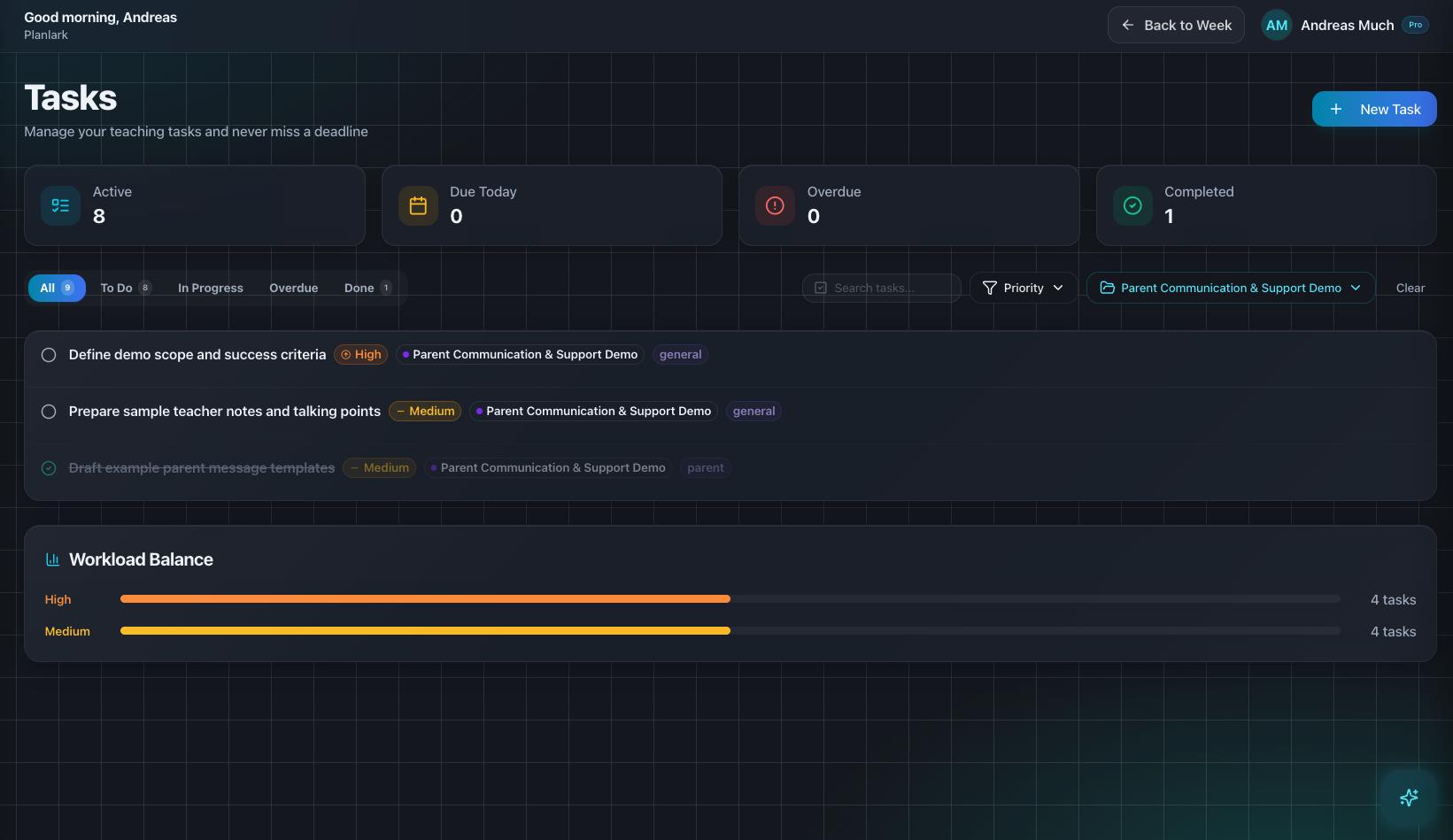
Task planning stays inside the teaching workflow instead of living in a disconnected checklist app.
Context aware
Connected to the weekly planner, schedule rules, and unit structure.
Teacher controlled
You review and refine changes instead of handing the whole process away.
Built for school reality
Designed around shifting timetables, real curriculum work, and mid-week edits.
Where Teacher Task Planning fits into the planning week.
Track due dates, due times, reminders, and focus estimates for the work that needs to happen around teaching.
Break work into subtasks, set recurring rules, and prevent blocked tasks from being treated like ready work.
Filter by priority, project, or state while keeping task planning connected to classes, projects, and daily prep.
Real reasons teachers reach for this feature.
Prep checklist
Create a task for printing handouts, another for posting class notes, and set reminders at the moments that actually matter.
Blocked work
Keep one task dependent on another so unfinished prep stays visible without being accidentally marked ready.
Recurring teacher work
Repeat weekly tasks like attendance audits, newsletter updates, or Friday reflection prompts without recreating them every time.
What it looks like when a teacher actually uses it.
These example prompts and outcomes show the kind of planning work this feature is designed to handle.
Prompt
"Create tasks for tomorrow: print the lab sheet, prep the projector, and follow up with the parent email. Remind me at lunch and after school."
Outcome
Planlark creates the tasks with the correct due timing, categories, and reminders, ready to be scheduled into the day plan.
Prompt
"Break the Chapter 7 prep into subtasks and mark the rubric step as blocked until the assignment sheet is done."
Outcome
The AI creates the subtasks, links the dependency, and keeps the blocked step visible.
Prompt
"Repeat the homework-posting task every Monday and Wednesday."
Outcome
Planlark adds a recurring task rule so the work rolls forward automatically.
Keep exploring the planning workflow.
Related help
Learn how to use this in the product.
Getting Started
How to get started with Planlark
Set up your schedule, classes, and first planning workflow so the weekly planner, units, and AI actions all use the right school context.
Read help guideCurriculum
How to import curriculum and outcomes in Planlark
Paste curriculum text or ask Lark to import a framework, then review sub-outcomes, guiding questions, QA warnings, and shared-library approval before planning from it.
Read help guideUnit Planning
How to build units and lesson sequences in Planlark
Use the Unit Planner to create a unit, add source material, generate lesson sequences on real dates, and keep outcomes tied to the plan.
Read help guideRelated features
Keep exploring the workflow.
Daily Planning
AI Day Planning
Planlark fills before-school, lunch, and after-school windows with the right work using your actual teaching schedule.
Read feature pageScheduling
Auto-Scheduled Plans
Units and lesson sequences can land on real class dates automatically using your rotation, holidays, and calendar overrides.
Read feature pageCalendar
Calendar Command Center
Your planner stays connected to the actual school calendar, not a generic week view.
Read feature pageEarly access
Try Teacher Task Planning inside the full planner
Join the waitlist to see how Planlark connects weekly planning, AI actions, schedule logic, and curriculum tracking.
No credit card required. Early access updates only.