Planlark now plans the day, manages the tasks, and breaks the projects down.
This release expands Planlark from lesson and calendar planning into a fuller teacher workflow: AI day planning, richer task planning, project planning, clearer marketing pages, and stronger SEO.
AI Day Planning
Plan the day around real classes and prep windows with a visible Plan My Day action inside the day planner.
Teacher Task Planning
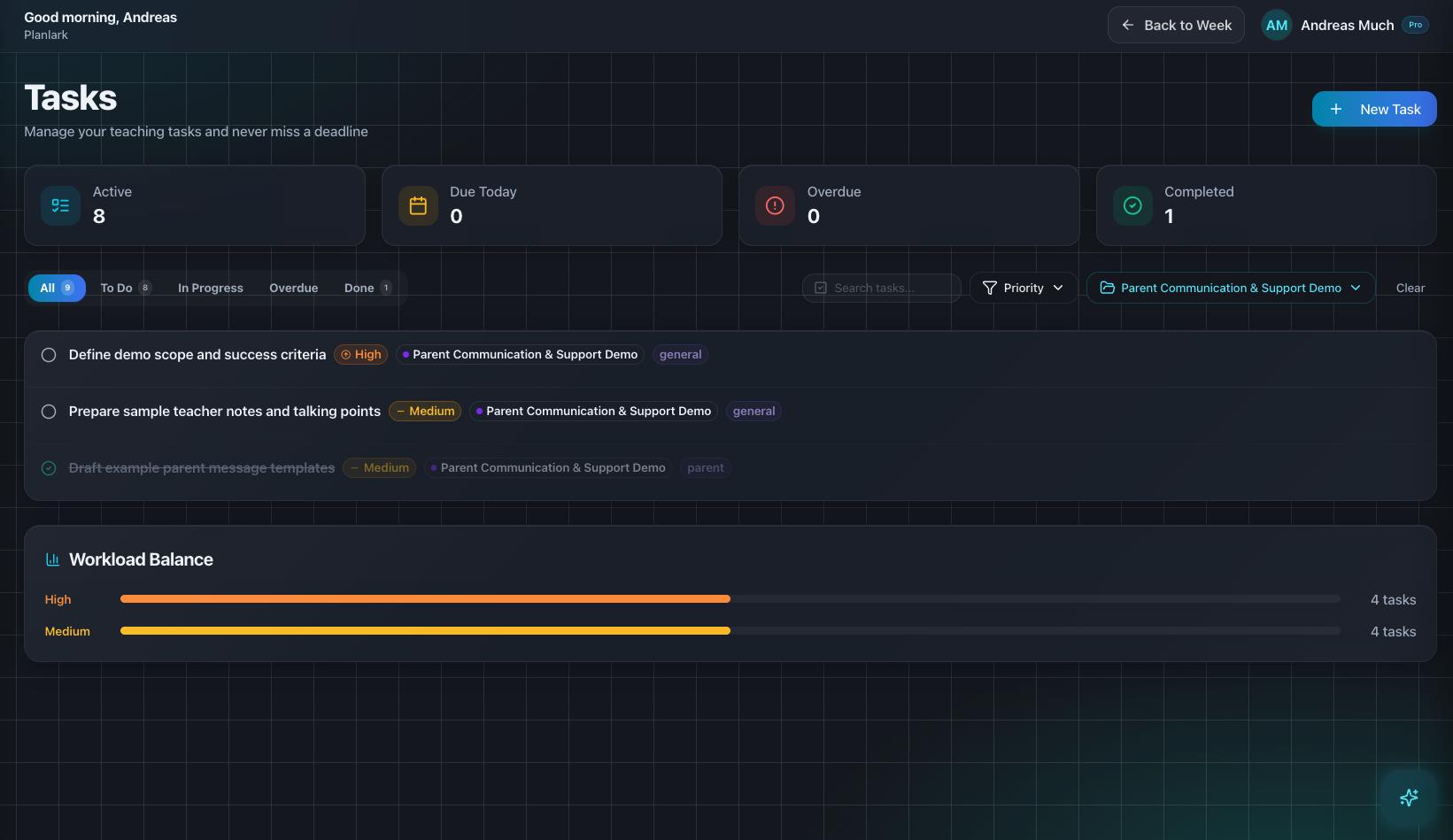
Track due dates, reminders, subtasks, dependencies, recurrence, and workload from the same planning system.
Teacher Project Planning
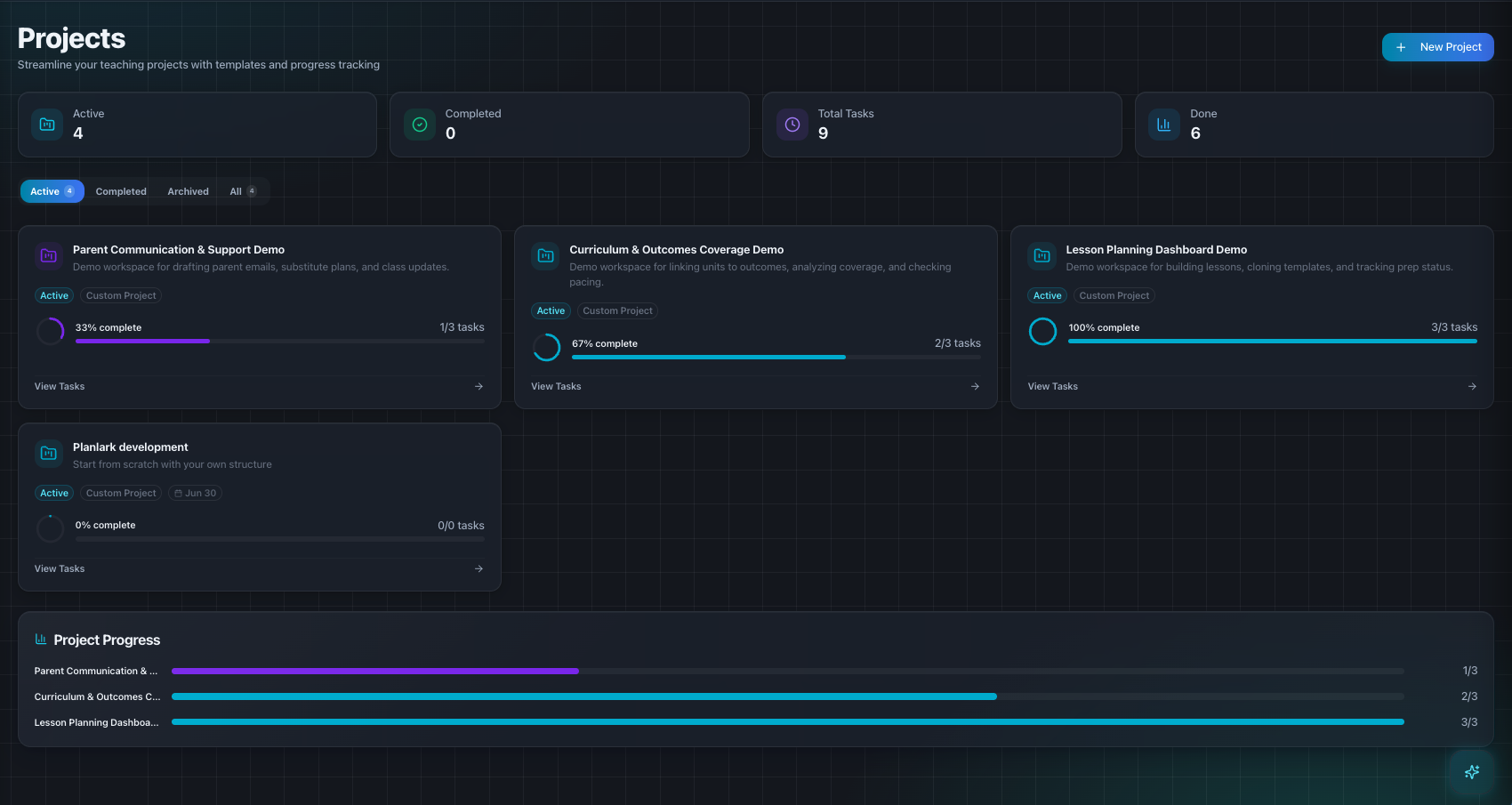
Break larger teaching work into tracked projects with linked tasks, generated steps, and progress views.
SEO + Conversion Refresh
Landing and feature pages now describe the full workflow more clearly, with stronger metadata and updated release surfaces.
Release summary
What changed across the product and website.
Added a visible Plan My Day action so daily scheduling is discoverable from the product UI, not only through chat prompts.
Expanded task planning to highlight due dates, reminders, subtasks, recurrence, dependencies, and workload management.
Expanded project planning to show templates, progress, linked tasks, and AI-generated step breakdowns.
Rewrote landing and feature content to sell the full teacher workflow instead of mostly lesson drafting.
Strengthened metadata, canonical tags, manifest screenshots, and public update surfaces for better SEO and clearer release communication.
Early access
See the updated workflow in action
Join the waitlist for a teacher planner that handles lessons, day planning, task planning, and project planning in one connected system.
No credit card required. Early access updates only.